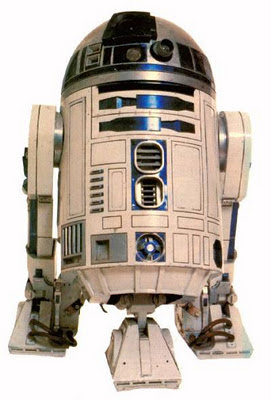
The name of the next service pack???? lol
So what's the point in doing a review of software that's been out a fair few week's you may be asking?
Personally I think if you're going to do a review of anything the lest you can do is use it for some length of time and give it a good shot.
Now I know some of you think you know the content of this review and my feelings about r2
(d2 lol) in advance...pretty easy to guess right? Wrong.
Some of you may not remember back in the dark mists of time I used Zbrush a lot from the early days of version 2, I released 2 DVD's teaching it (don't hunt them out they are crap and out of date...and also the company responsible hasn't paid me a royalty in about 7 years lol) and a massive brick like tome of a book on it. (That's worth hunting out as there's a lot of stuff in there you won't find anywhere else in regards to little tricks....but I warn you it's a heavy read.) Basically I know it well...it is only an idiot that lets his knowledge drop of an application, even if you 99.9999999% of the time use another such as Mudbox like I do. I always say to new guys and gals coming into digital sculpting that you really need to know both (and a bit of 3d coat won't hurt either!) as you don't want to wall yourself into one software or skill set. Being able to use more than one makes you more attractive to employers.
Normally each time I dare to write or mention the 'Z' word I get roughly the same amount of hate emails as a serial killer. But after all these years I have came to the conclusion 'stuff it, I have an opinion just as valid as everyone else, in some ways maybe a unique one. Although the following review means no more and no less than anyone else because opinions are like arse holes...we all have one.
So anyways.....on to the actual review:
As I've not reviewed anything since version 2 ...there is a fair bit to catch up on. But for the sake of length I'll keep to features from r2 and version 4 that I feel work well together in a workflow. So the model shown here (one of a number of doodles I did to test the features and workflows), uses most of them. I've ignores the new matcap lightcap stuff as its as much use to me as a chocolate tea cosy.

The good:
Dynamesh is a very cool feature, one that could almost have been made with the way I work in mind (you'll understand this if you've seen any of my timelapses). Its also a feature it would have been very easy to turn into a chore if anything other than the ctrl + drag in open viewport space was used to operate it. It responds well, although I found it needed tweaking for my needs, although I've yet to find a software that doesn't. Although most people seem to be obsessed with starting from a sphere, I find it much more powerful to start for either a very, very low poly cage or a Zsphere rig. This may be ironic to come from the guy who basically invented speed sculpting mostly from spheres lol.... but it makes more sense to start from a very basic sub 200 poly armature if it's a more complex shape.
Now i always loved Zsphere's so the new features they added last time did not go unnoticed by me. Although the 'new improved Zspheres' are not as intuitive as they could be out of the box. But I've always found Zspheres easy to control (even more so if you bear in mind how they actually work behind the scenes). The strong point of Dynamesh is the fact it gives you an even sculpting topology that's mostly quads. Although it does through in some triangles in there and some odd T shape intersections.
Now if you a person who wants to say sculpt or do your concept roughs in Zbrush and your main sculpting or texturing in Mudbox your going to have el problemo! Mudbox does not like T shaped intersections in your mesh and will warn you about this bad topology. You can import them but it increases the change of map extraction errors. Obviously an interaction with other sculpting apps is not top of Pixologic's list of priorities (although if it's to be a serious pipeline orientated app then it must, as there is more than just Zbrush used in major pipelines! But apps have been removed from pipelines for lesser problems.) My suggestion would be to improve het remeshing used to make it more pipeline friendly as you can bet you arse that Mudbox won't be the only app Dynamesh models will prove troublesome for. I wrote a plug-in for Mudbox to solve this automatically by remeshing...no I'm not making that available as it means I have a solution no one else has
It amazes me how often people forget the clip brushes, they are a very useful tool and as many of you are aware makes hard surface sculpting a no brainer. In contrast to Mudbox where it's certainly possible (I've done it many times), but requires far greater degree of brush control.
The boolean stuff (or stuff I asked to be added around version 2 lol)..
Like the lathe brush a Boolean feature was one I banged on about to Pixologic years back. chances are they ignore me, forgot, then came up with the idea themselves. I count this as part of the Dynamesh feature set, it's a very powerful feature and I'm surprised no one has discovered how it can be used for joints when making toy figure proof version. (A little Wayne hint there). Although it goes without saying that you're not going to want to do a Boolean operation between two very high meshes or that's asking for trouble!
So if you combine the whole Dynamesh toolset with Zspheres clip brushes and hard surface brushes it can be used very easily to come up with concepts for later refining. This to me is R2(D2)'s strength right now. It also now has a far more useful feature set for those working for eventual 3D Printing.
The bad:
yep you knew I would find some stuff bad or annoying...so here's the things I feel that are either weak areas or need improvement on.
The Viewport:
yes it looks very ice and all, but often the model bears little resemblance to how it will look at render time in a dedicated app such as Maya, Max or Softimage. This is sort of a biggy as I do not like having to guess how my model will turn out. At very least it needs a less flashy more accurate presentation version you can switch to. If you do not believe me, do a famous persons likeness then switch to you main rendering app.
Texturing:
Jesus Christ that needs a total revamp! For texturing at high level Zbrush isn't going to cut it these days with Mari, Mudbox and 3D Coat all able to outperform. Its needs dumping and a proper texture based workflow added with multiple channels.
Topology / Retopology:
With all this Dynamesh stuff retopology is becoming more and more a must have, and it must be easy for users to pick up and do without needing to spend either ages doing it, or read a manual the size of the encyclopaedia Britannica. Topogun does it well, 3D Coat does it well... Without good topology stuff out of Dynamesh isn't much use, you wouldn't want to animate or rig and skin a mesh it produces. The current method of retopology in Zbrush is widely accepted as total crap. I agree with that opinion, no one in their right mind would use that as their chosen method of retopping unless they were forced to....at gunpoint .....by Seal Team 6 lol.
Final Thoughts....
I would say to new sculptors don't think that Dynamesh will act as a get out clause forever having to learn proper poly modelling or good topology as those are vital to any pipeline. Some stuff is just easier to poly model accurately. It is not the be all and end all, and pipeline will not adjust to fit a single program (all be it a popular one such as Zbrush).
This is a good solid release and to be honest Dynamesh and its related features make it worth it alone as it frees you up when concepting. Yes I'll certainly be using it for my concepts as I'd be stupid not to until a faster or better way comes along. But the big secret it's in no company's interest to promote is that instead of using sculpting apps on their own, if combined you find they are much more than the sum of their parts. You can then have some unique things in your pipeline that none of the apps are capable of on their own.
So while I'm still a Mudbox guy for sculpting, yes I will use Zbrush (and 3D Coat) to get models done and use each application to its strengths. I see the competition between the sculpting apps as a positive thing as it mean they are all forced out of any temptation to stagnate and to provide us with new and better tools. That's makes us the artist the winner. Life would fast become boring with only 1 sculpting app around, plus it keeps all the developers on their toes. Which is exactly where development teams should be. If they are too relaxed, then that's bad for us. If I were a carpenter I wouldn't limit myself to just a saw, I'd also want other tools as well. I'd want to be competent with all my tools so I could do my job better and more easily. To be frank all the 3 sculpting apps are more than capable these days and all are used in production pipelines every single day around the world. What you choose ifs up to you and what you need to do at that moment. They are all capable of good art in capable hands.
Hopefully this is as even handed a review as is possible. I have done my best not to be biased one way or another. Yes the new release if very good, no its not perfect and won't make the lame walk or the blind see. But if it did...well that'd be boring for any app and the instant death knell to all development. I don't know about you, but that's not something I'd like to see. Its the imperfections that often help us to produce the best art.
Lastly Pixologic should release a service pack...called R2 D2 just for shits and giggles.


